Proposals & Client Approval
Catering proposal software that turns an accepted menu into a planned event.
REUX lets a catering manager build the menu once, price it by item and quantity, mark dietary needs, and send the client a clean proposal link. When the client accepts, the same menu carries forward into the event your team plans and runs, so nobody retypes a BEO from an email thread.
Creating an account does not start billing. Public catering membership checkout is not yet available.
Why proposals usually break down
A typical catering proposal lives in a word processor, the pricing lives in a spreadsheet, the dietary notes live in someone's inbox, and the client's yes arrives as a one-line email. When the event gets planned, someone rebuilds the menu from those pieces. REUX keeps the menu, the numbers, the notes and the client's decision in one record.
What catering proposal in REUX covers
Capabilities available in REUX today, described plainly.
- 01
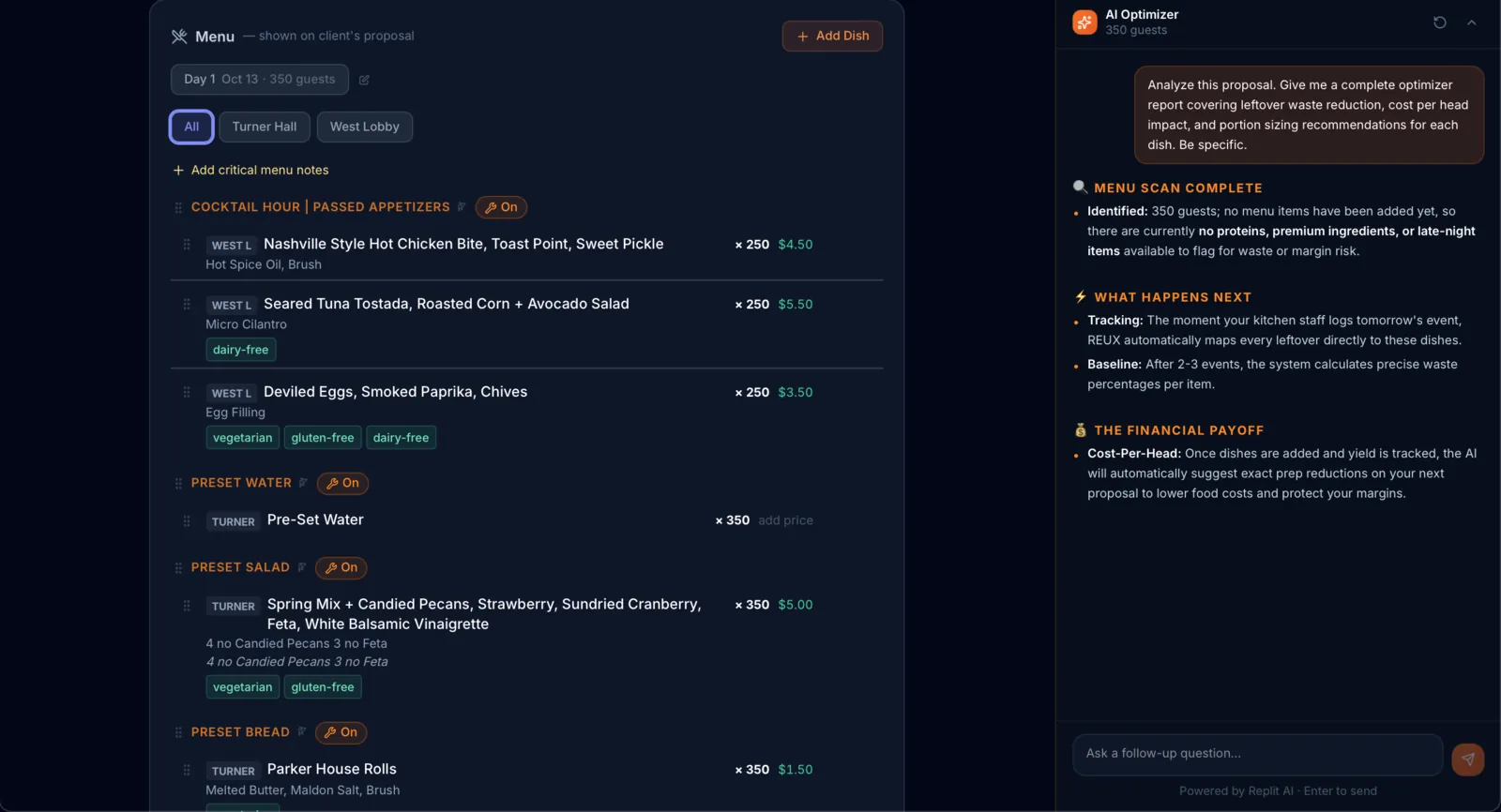
Menu sections by course and room
Group items into sections such as passed appetizers, first course or dessert, and lay out room-level menus when an event uses more than one space.
- 02
Quantities and per-item pricing
Set a quantity and price on each item so the proposal total reflects exactly what the client is agreeing to.
- 03
Dietary tags on menu items
Mark items as vegetarian, gluten-free, dairy-free and similar, so dietary needs are visible to the client and to your team.
- 04
Critical menu notes
Add notes that must not get lost, such as an allergy-safe preparation or a substitution the client requested.
- 05
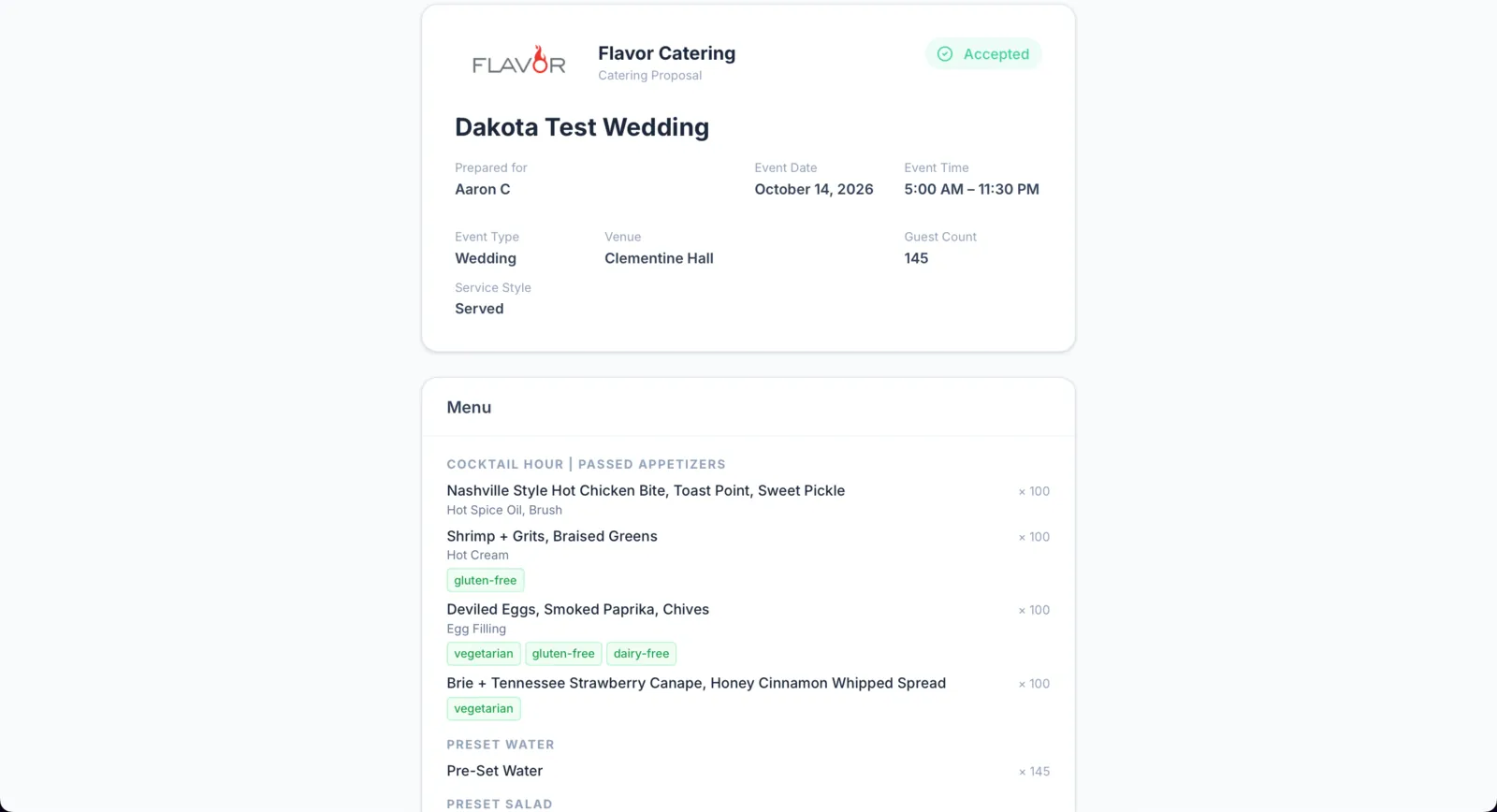
A clean client-facing proposal
Clients open their own link and see event details and the full menu in a branded layout, without needing an account.
- 06
Accept or decline, with status at a glance
The client records their decision from the proposal link, and you see each proposal's status in your list instead of chasing replies.
The normal path from proposal to event
STEP 1
Draft the proposal
Enter event details, build menu sections, and set quantities, pricing, dietary tags and notes.
STEP 2
Send the client link
Share the proposal so the client can review the event details and full menu on their own time.
STEP 3
Client accepts or declines
The decision is recorded on the proposal and its status updates in your list.
STEP 4
Accepted proposal becomes the event
The accepted menu carries into event planning, where your team handles room setup, timelines and kitchen work.
STEP 5
Booked sales show up in reports
Accepted work feeds the booked sales reports, organized by event date.
Questions caterers ask
Does my client need a REUX account to accept?
No. The client opens the proposal from their link and can accept or decline it there.
Can a proposal include dietary information?
Yes. Menu items can carry dietary tags such as vegetarian, gluten-free and dairy-free, and you can add critical menu notes.
What happens after a client accepts?
The accepted proposal moves into the normal event workflow, so the same menu and details are used for planning instead of being re-entered.
Can I see which proposals are still waiting?
Yes. Each proposal shows its status, so accepted, declined and outstanding proposals are visible at a glance.
Related REUX features
Try it on your next event.
Create an account and set up your first proposal, venue and event in one workspace.
Creating an account does not start billing. Public catering membership checkout is not yet available.