Venue Library
Venue and event management software for catering teams.
Caterers work in the same ballrooms, barns, museums and offices again and again, but what the team learns about each one usually leaves with whoever worked the last event. REUX keeps a shared venue record with photos, address, website, logistics notes and floorplans, and lets you start an event's room setup from a venue plan.
Creating an account does not start billing. Public catering membership checkout is not yet available.
Why venue knowledge keeps getting lost
Where the van parks, which door staff use, how long the freight elevator takes, what the room actually looks like with rounds in it: this is the information that makes or breaks a setup, and it usually lives in one captain's phone. A shared venue library means a new lead walks in already knowing the building.
What venue & event management in REUX covers
Capabilities available in REUX today, described plainly.
- 01
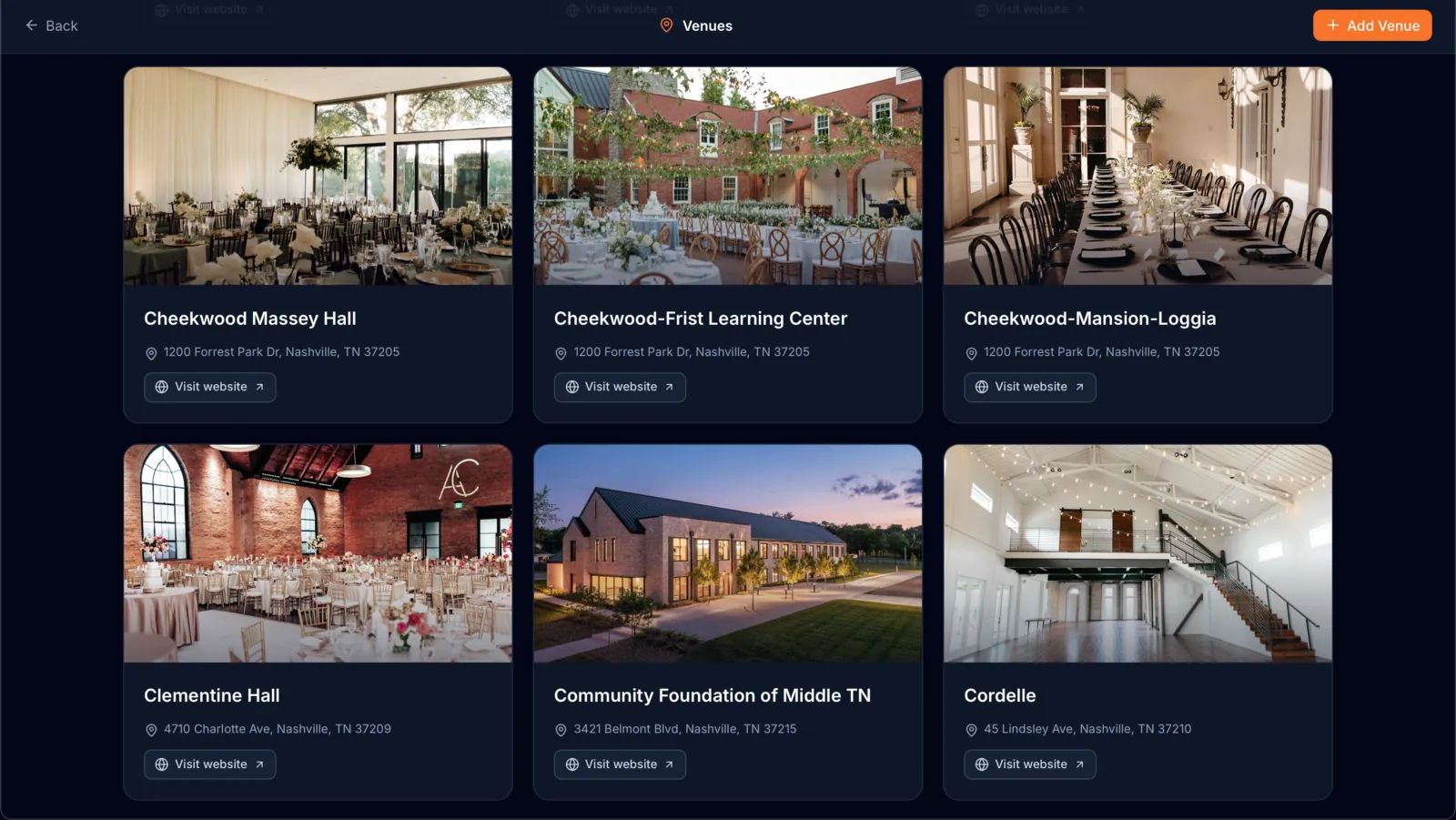
Venue cards with photos
Browse every venue you work in as a visual card, with a main photo you choose.
- 02
Address and website
Each venue keeps its address and a website link so planners and staff can find it quickly.
- 03
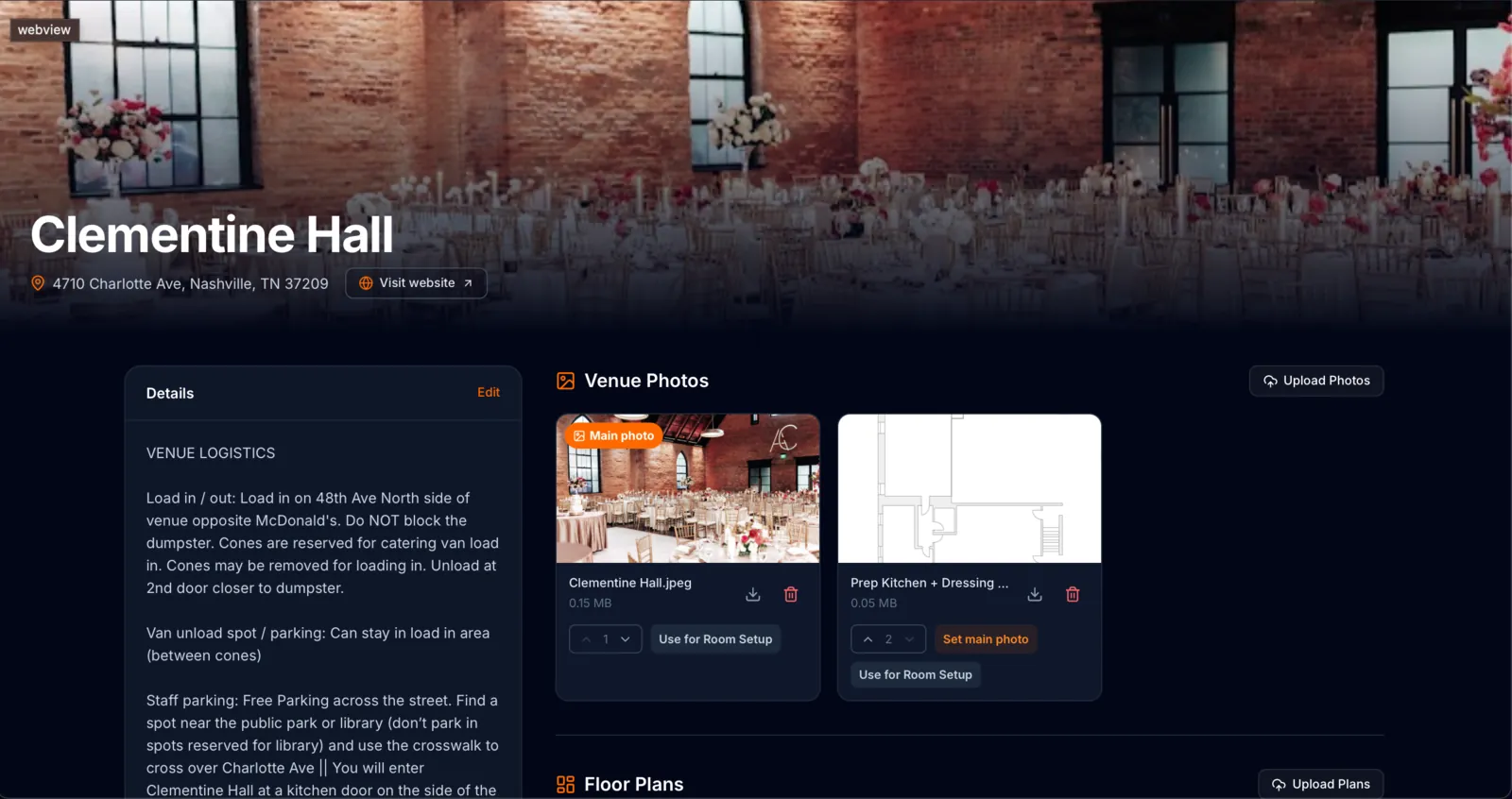
Logistics notes
Record load-in, van parking and staff entry details once, for everyone on the team to read before the event.
- 04
Photos and floorplans
Upload photos and floorplans to the venue so the whole team can see the space before they arrive.
- 05
Send a plan to room setup
Send a venue photo or floorplan straight into an event's room setup and use it as the starting point.
- 06
Room setup for the event
Lay out tables and seating on the floor plan and assign server sections for the event itself.
From venue record to event room setup
STEP 1
Add the venue once
Enter the address and website, then upload photos and floorplans.
STEP 2
Capture the logistics
Write down load-in, parking and staff entry notes while they are fresh.
STEP 3
Plan the next event there
Open the venue, pick the floorplan or photo, and send it into the event's room setup.
STEP 4
Build the layout
Place tables and seating on the plan and assign server sections.
STEP 5
Brief the team
Share the venue instructions and planned layout with the team preparing that event.
Questions caterers ask
Is the venue library shared across my team?
Yes. Venues belong to your company workspace, so planners and managers work from the same records.
Can I use a venue floorplan for an event layout?
Yes. You can send a venue photo or floorplan straight to room setup and build the event layout from it.
What logistics can I store?
Free-form notes such as load-in instructions, van parking and staff entry, alongside the address and website.
Related REUX features
Try it on your next event.
Create an account and set up your first proposal, venue and event in one workspace.
Creating an account does not start billing. Public catering membership checkout is not yet available.