Booked Sales Reports
Catering sales reporting software for your booked events.
REUX reports are built from the events you have actually booked. Because accepted proposals become events, the reports reflect real accepted work, organized by event date, without a separate spreadsheet that someone has to keep in sync.
Creating an account does not start billing. Public catering membership checkout is not yet available.
Why booked sales is the number managers ask for
When an owner asks how next quarter looks, the honest answer is in accepted proposals scattered across email and calendars. REUX reads it from the events themselves, so you can answer by event date, by client and by event type in a few seconds.
What catering sales reporting in REUX covers
Capabilities available in REUX today, described plainly.
- 01
Booked sales by event date
Accepted and booked sales are organized by when the event takes place, not when the paperwork was sent.
- 02
Top clients
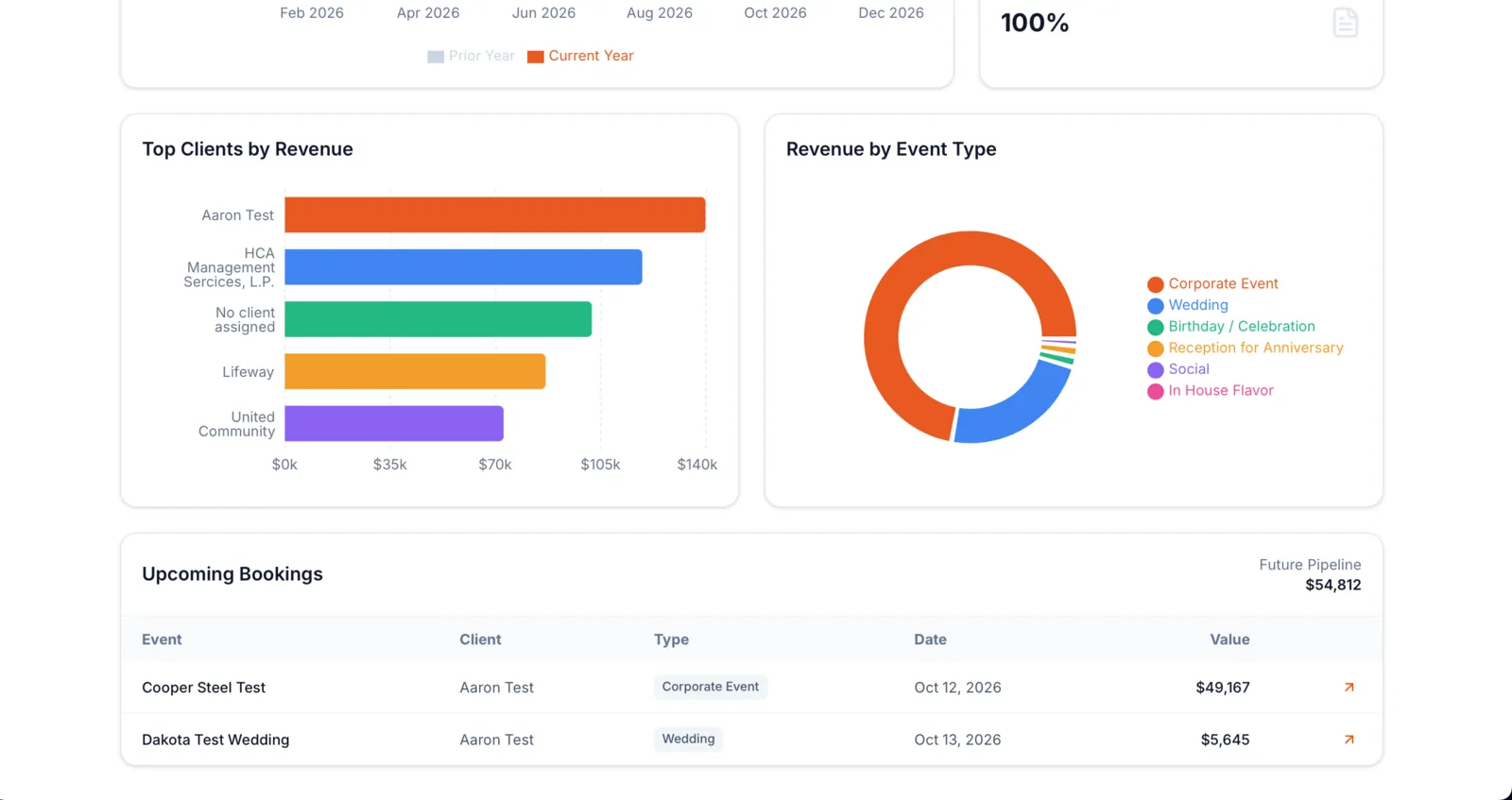
See which clients account for the most booked business.
- 03
Event type split
Understand how booked sales divide across weddings, corporate events and the other event types you use.
- 04
Upcoming bookings
A list of future bookings with date, type and value, so the pipeline is visible.
- 05
Year compared with prior year
Compare the current year with the prior year to see the direction of your booked business.
- 06
Fed by the proposal workflow
Because accepted proposals become events, reports stay current as your team works.
How booked sales reach the report
STEP 1
Proposal is accepted
The client accepts from their proposal link.
STEP 2
It becomes a booked event
The accepted proposal moves into the event workflow with its date and value.
STEP 3
Reports group it
The event counts toward booked sales for its event date, its client and its event type.
STEP 4
Managers review
Check top clients, event types and upcoming bookings whenever you need them.
What these reports are not
- They are not collected cash. Deposits and payments received are not what these figures measure.
- They are not profit. Booked value is shown without food, labor or overhead costs subtracted.
- They are not an accounting ledger. Use them to understand booked business, not to close your books.
Questions caterers ask
Do the reports show money I have collected?
No. They show the booked value of accepted events, not payments received.
Do the reports show profit?
No. They show booked sales value only. Food costing lives in the recipe and menu costing tools, separately.
Is the reports screenshot real data?
No. It uses illustrative demo data, and bar lengths were adjusted for display.
Related REUX features
Try it on your next event.
Create an account and set up your first proposal, venue and event in one workspace.
Creating an account does not start billing. Public catering membership checkout is not yet available.